
LAUNCH Creader CR329 Passenger Car Scan Tool - Standard E-commerce Package
Item No. SC573 In Stock.
History 0 sold.
Latest price: $35.00
$35.00
US/UK/EU Ship Tax FREE Please Check Here>>>
Launch Renewal Card BEST PRICE
Better price or tech support, pls feel free to contact Ivana:
WhatsApp: +1 937 888 0032
Email: [email protected]
Launch Renewal Card BEST PRICE
Better price or tech support, pls feel free to contact Ivana:
WhatsApp: +1 937 888 0032
Email: [email protected]
Free Shipping · Standard Flat Rate · Est. delivery: 7-18 working days
Returns: Return for refund within 30 days, buyer pays return shipping
Product Description
Global Info
Technical Service
FAQs 0
Reviews 0
LAUNCH Creader CR329 Passenger Car Scan Tool
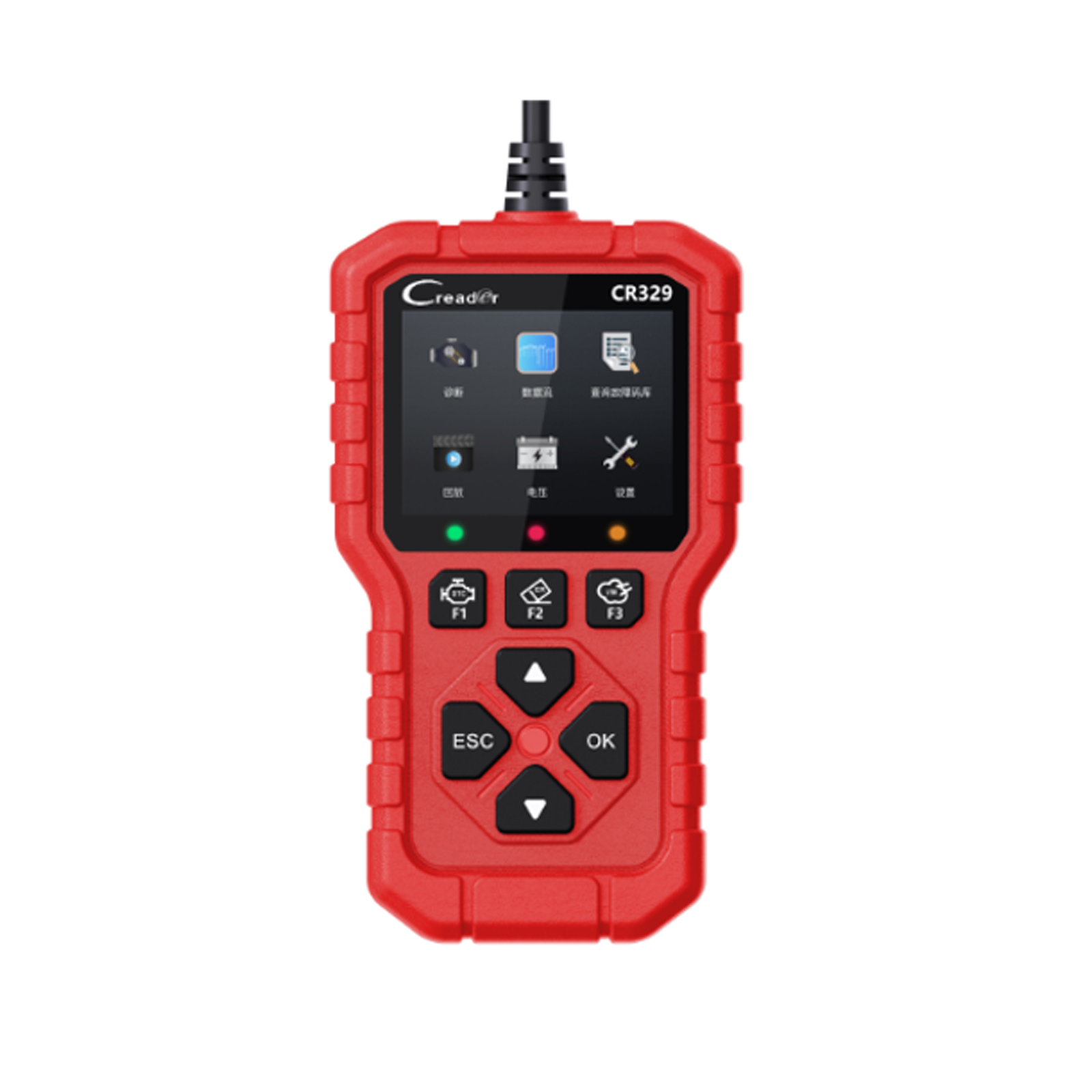
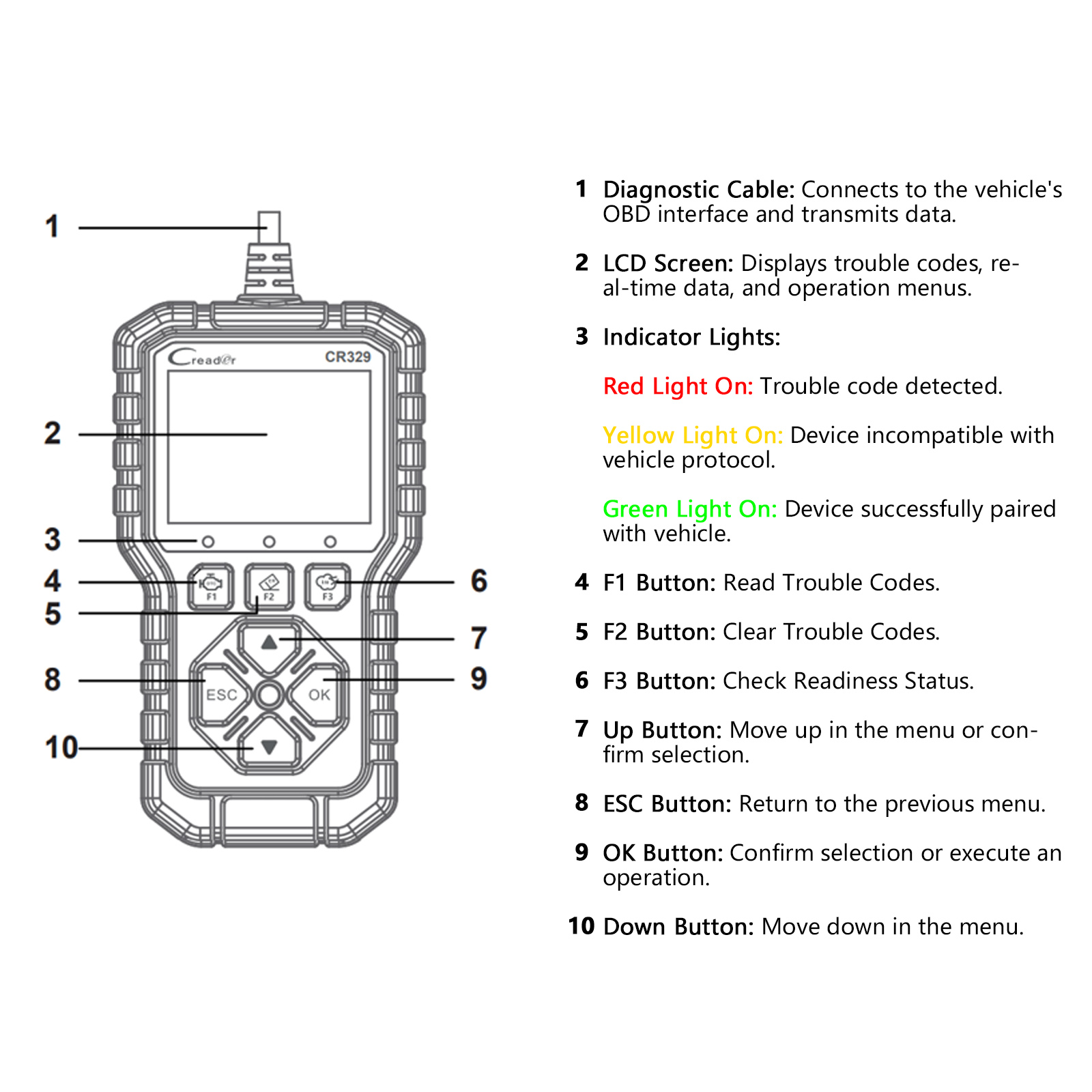
LAUNCH Creader CR329 is a code reader tool based on a single-chip microcomputer platform. It offers full OBD diagnostics tailored for the passenger car DIY market. Equipped with a 2.8-inch high-definition color screen and indicator lights, it supports 10 OBD diagnostic modes, detailed trouble code and data stream display, real-time graphing, data playback, battery voltage testing, cloud printing, quick lookup, and specific trouble code search.
It supports the ISO15765, ISO9141, ISO-14230, and SAE J1850 protocols.
Product Function Display:
Main Interface:
Product Specifications:
Product Function Display:
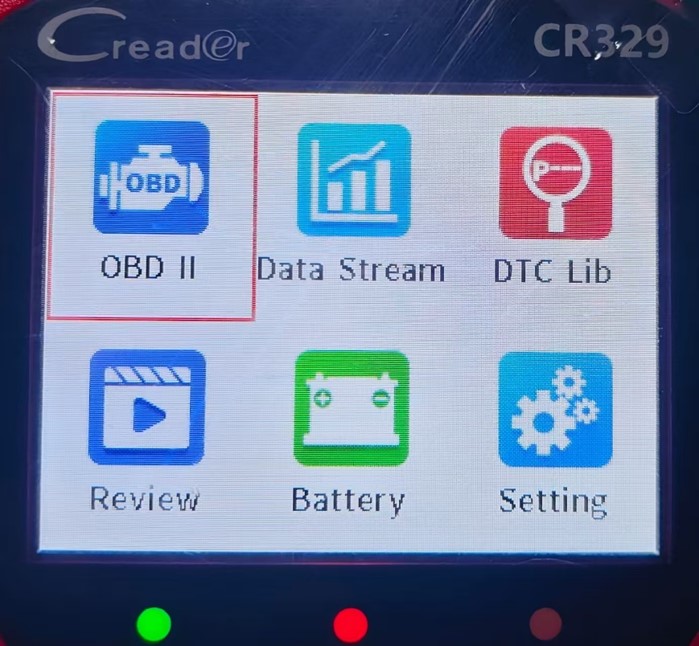
Main Interface:
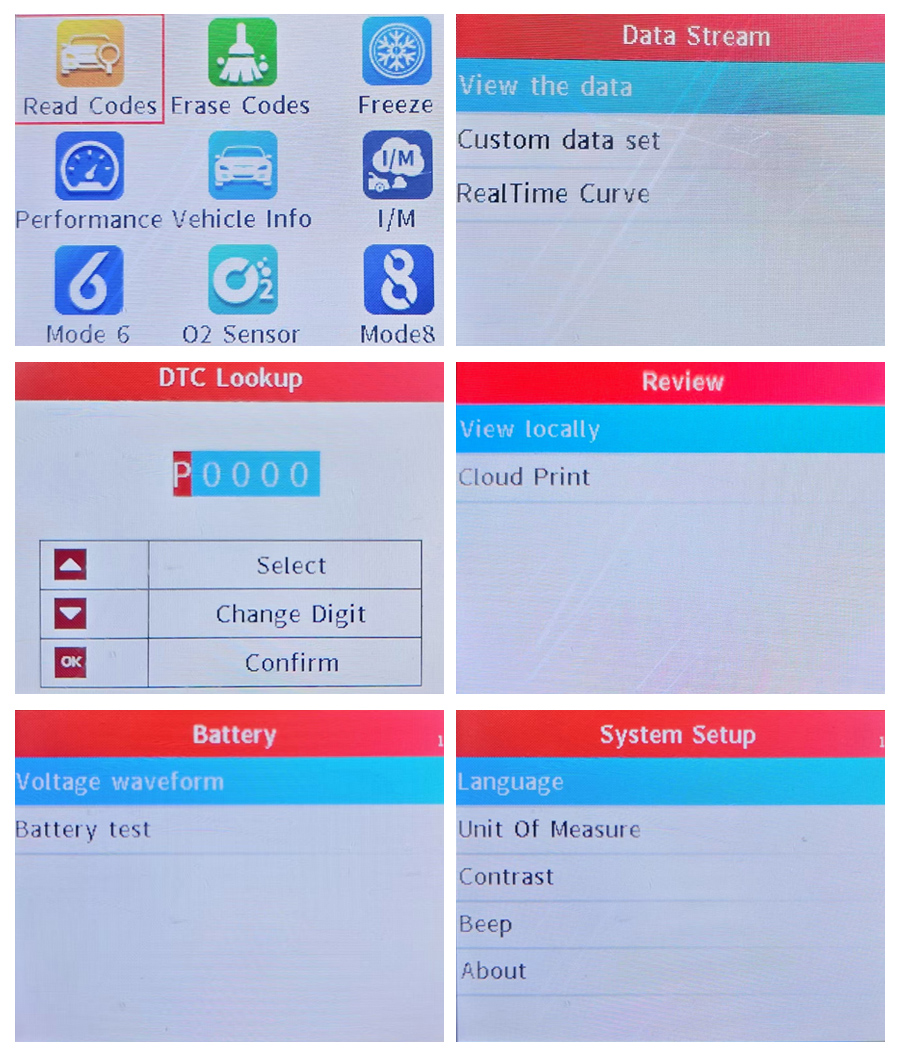
OBD II(Vehicle diagnostic system)
Data Stream
DTC Lib(DTC Library)
Review
Battery(Battery testing)
Setting
How to Use?
Product Structure:OBD II-Vehicle Diagnostic System Function Display:
Read Codes, Erase Codes, Freeze, Performance, Vehicle Info, I/M, Mode 6, O2 Sensor, Mode 8
Data Stream:
DTC Lib:
Data Stream:
View the Data – Display single data stream as curve
Custom Data Set – Filter data stream items
Real Time Curve – Select two data streams to display curve
DTC Lib:
One-Click Precise Diagnosis · Trouble Code Lookup · Extensive DTC Database
Supports Multiple Languages: English, French, Spanish, German
Enter Trouble Code → 2. Adjust Characters as Prompted → 3. Press [OK] to Confirm Query
Review
Review
View Locally – Supports viewing fault data from the last detection and allows preview before printing.
Cloud Print – Print via QR code
Battery
Battery
Voltage Waveform – A graphical representation of voltage changes over time.
Battery Test – Detects battery performance via voltage measurement.
System Setup:
System Setup:
1. Language
Supports 10 languages: English, French, Spanish, German, Italian, Russian, Portuguese, Polish, Dutch, and Japanese.
2. Unit Of Measure
Allows flexible unit settings to ensure data is displayed in a format familiar to the user.
3. Contrast
Contrast refers to the difference in brightness between the brightest and darkest areas on the screen.
High contrast: Images appear sharper with distinct blacks and whites.
Low contrast: The screen may look hazy with blurred details.
Adjust contrast using the Up and Down button.
4. Beep
The device includes a buzzer, which can be turned ON or OFF.
5. About
Displays the device version number.
How to Use?
Connection Steps:
1. Turn off the ignition switch and ensure the vehicle is in a safe condition.
2. Locate the DLC (Data Link Connector), usually found below the steering wheel or on the driver-side dashboard.
3. Connect the diagnostic cable to the vehicle's DLC interface.
4. Turn on the ignition switch (the engine may remain off or running). The device will automatically launch the diagnostic system
Diagnostic Procedure:
1. Connect the Device: Turn on the ignition after connecting to the DLC, and the device will automatically start up.
2. Access the Main Interface: Once the system identifies the vehicle, you will enter the main function screen.
3. Select a Function: Choose the required function, such as trouble code inquiry, data playback, or auxiliary functions.
4. Follow On-screen Prompts: Complete the detection by following the guidance on the screen—simple and efficient.
Product Specifications:
Screen: 2.8inch
Storage: 32Mbit Flash
Working temperature: 0â~50â
Voltage: 12V
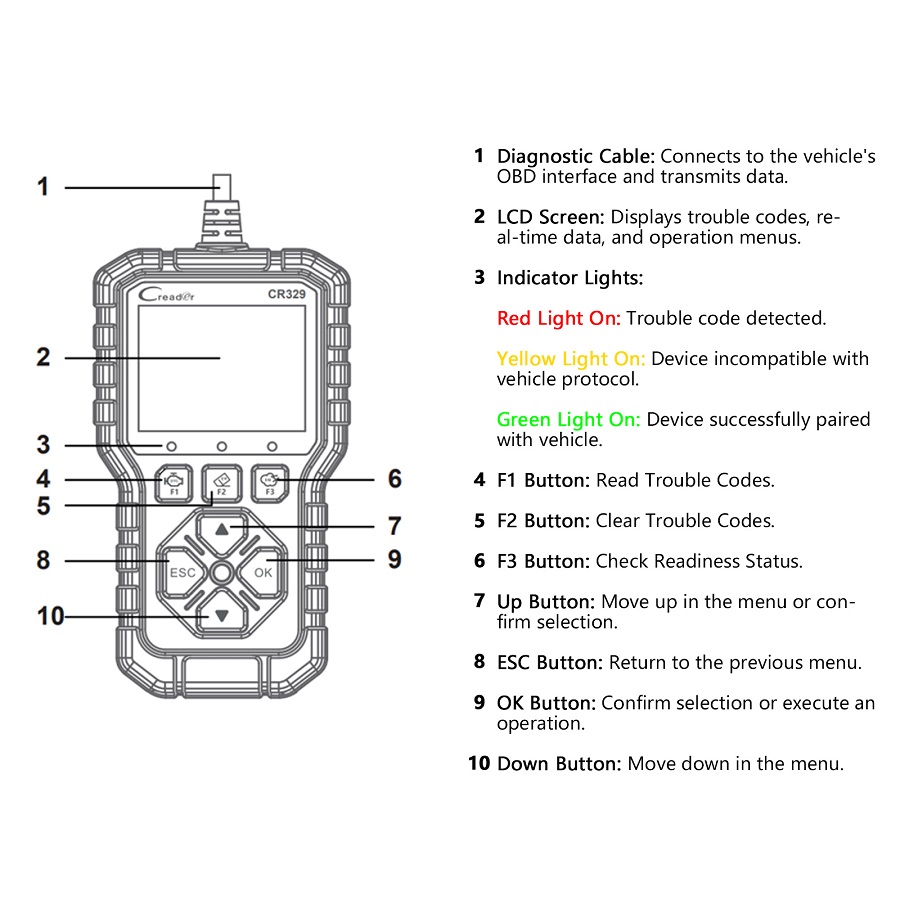
Buttons: Upï¼Downï¼OKï¼ESCï¼F1 (Read DTCs)ï¼F2 (Clear DTCs)ï¼ F3 (I/M Readiness Status)
Certificates: CE, FCC, IC, ROHS
Languages: 10 languages – English, French, Spanish, German, Italian, Russian, Portuguese, Polish, Dutch, Japanese.
Size: 160*90*28mm
Package includes:
Package includes:
1pc x Main Unit with Diagnostic Cable
1pc x Quick Start Guide
1pc x GPSR
1pc x Desiccant
Contact us:
Email: [email protected]
WhatsApp: +1 937 888 0032
If you have any questions, please do not hesitate to contact us.
Email: [email protected]
WhatsApp: +1 937 888 0032
If you have any questions, please do not hesitate to contact us.
Reviews
There are no reviews yet.